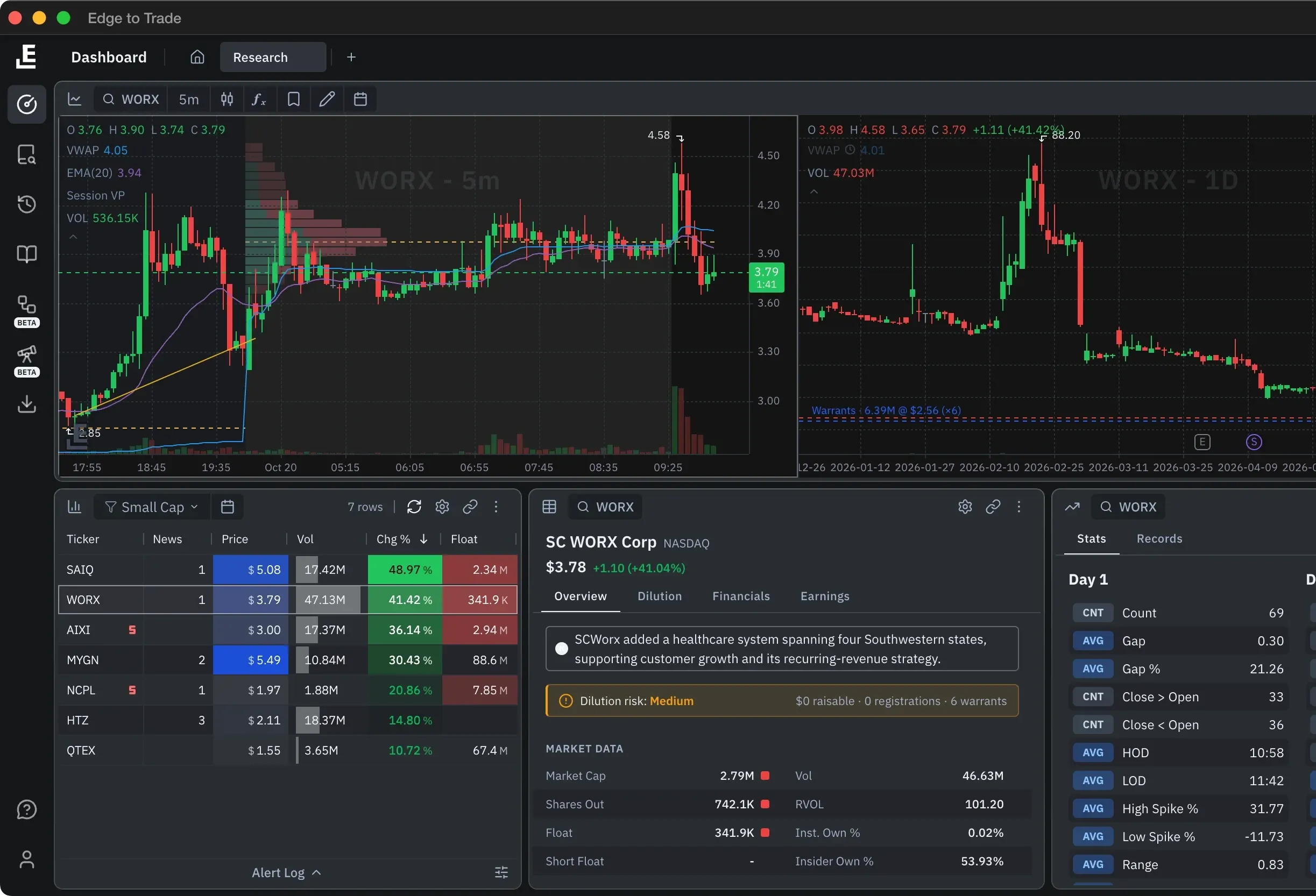
Edge AIBeta
Talk to your workspace. It does the work.
Type or ask out loud. Edge AI answers with numbers from the platform's data and points at the control you need.
On every planMore credits on higher plans; Deep Research from ProCompare plans
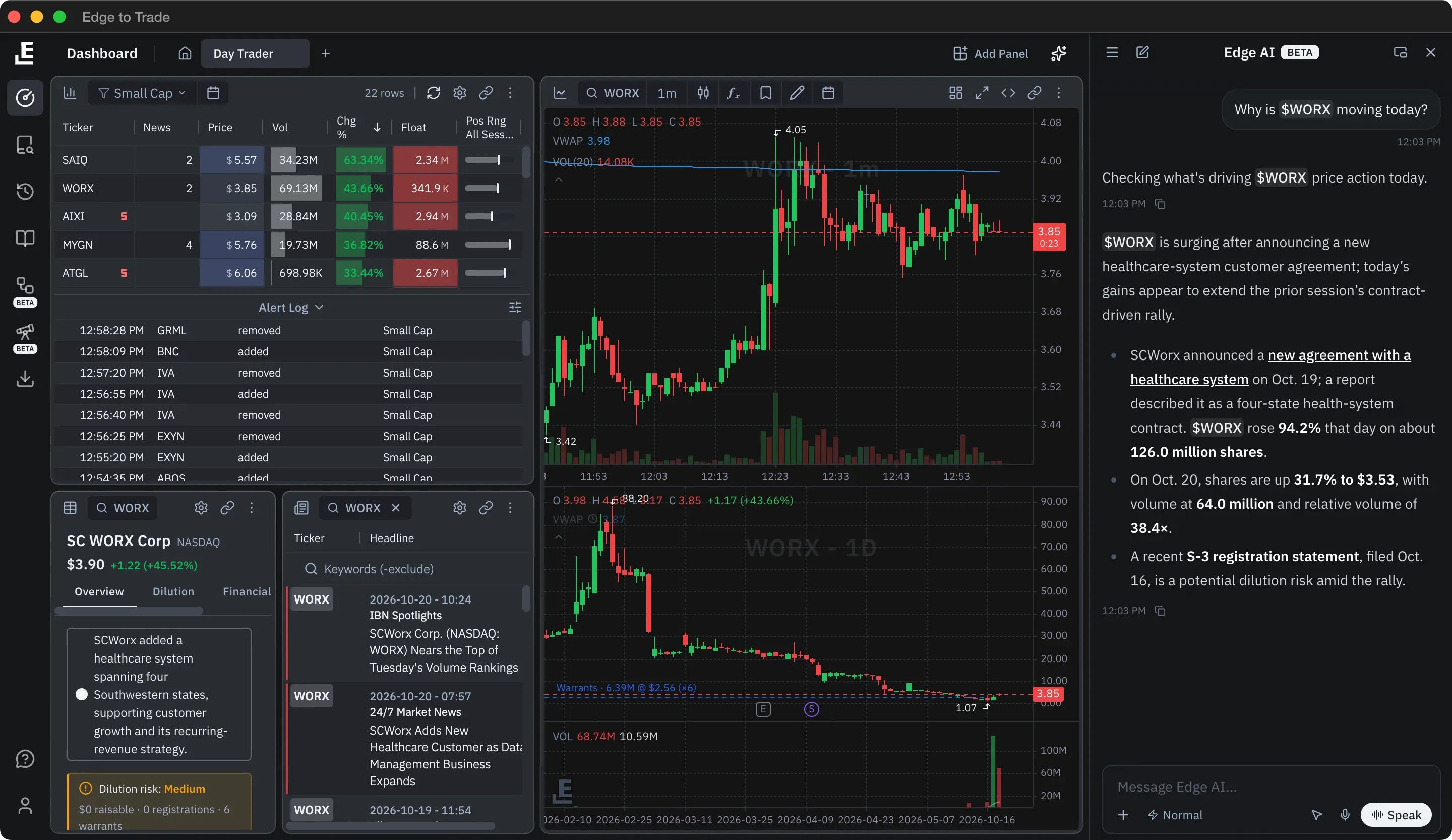
Edge AIBeta
Type or ask out loud. Edge AI answers with numbers from the platform's data and points at the control you need.
On every planMore credits on higher plans; Deep Research from ProCompare plans
Deep ResearchOnly on ETTBeta
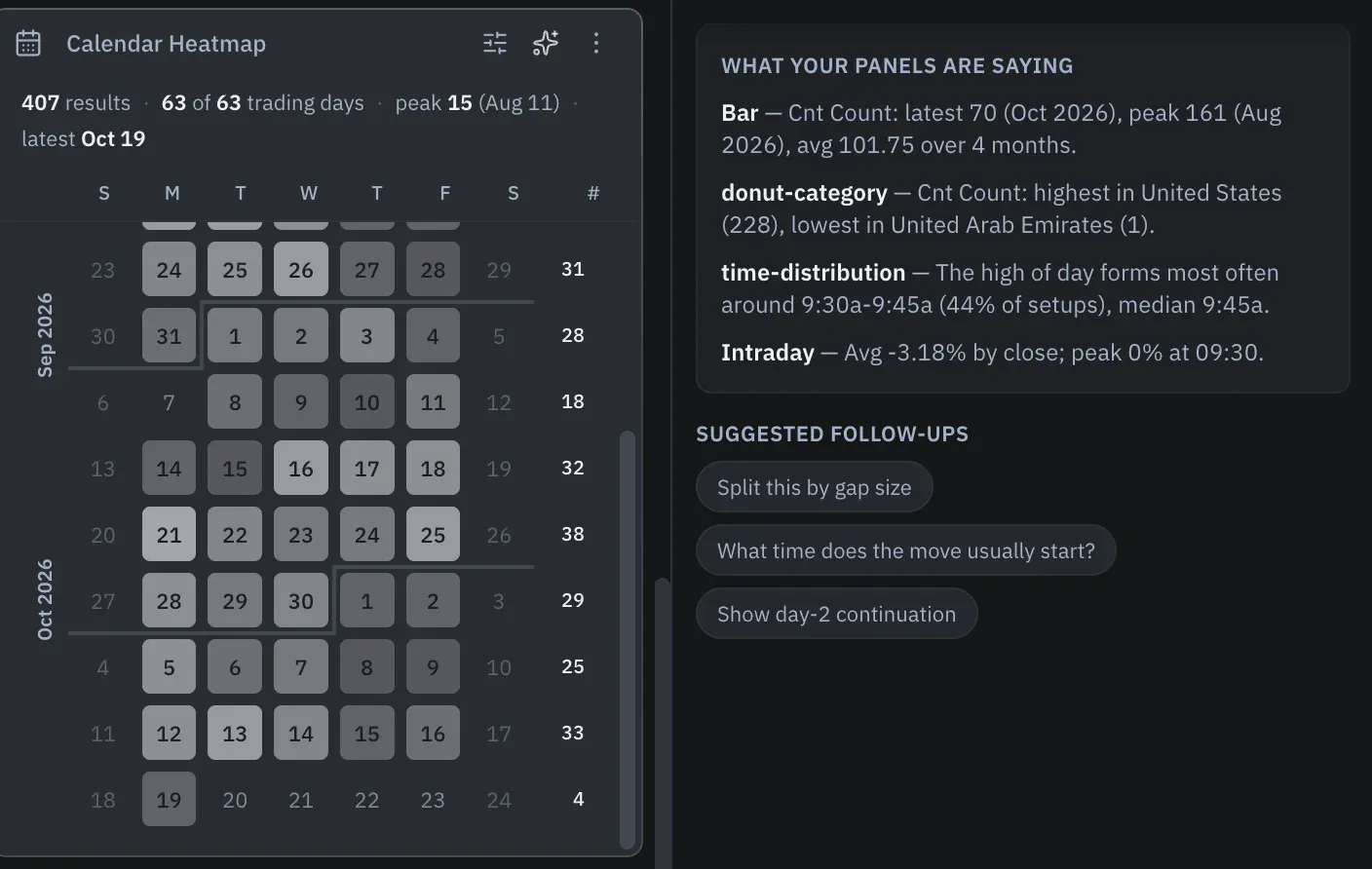
Ask a big question and Edge AI studies the matching trading days, then shows how many rounds, queries and tools the study took.
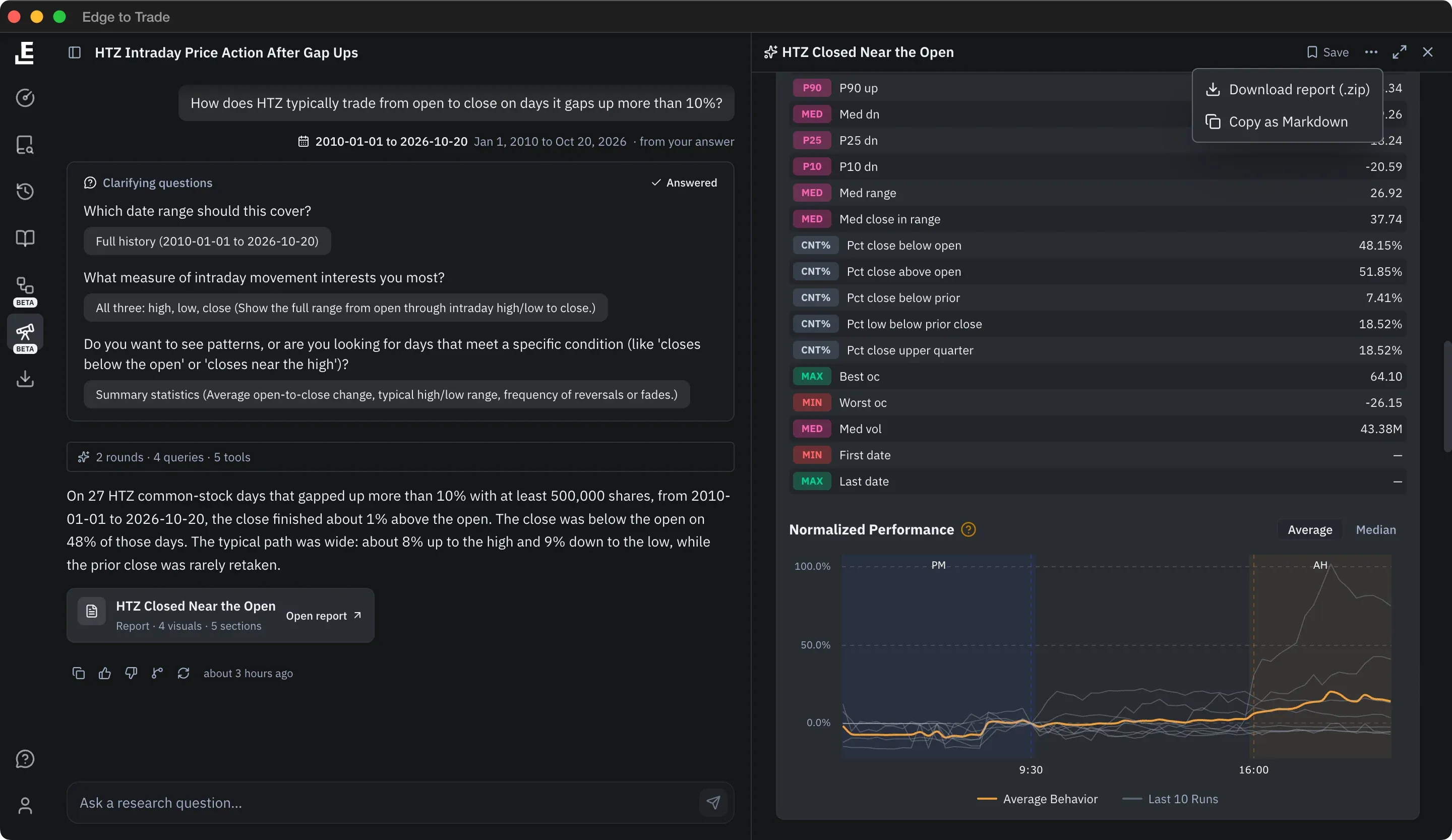
It asks which dates and measures you mean before it runs.
A plain summary with the numbers, then the full report.
Percentiles, medians, counts, and the best and worst days, in tables.
Save it to share by link, or download it as a .zip.
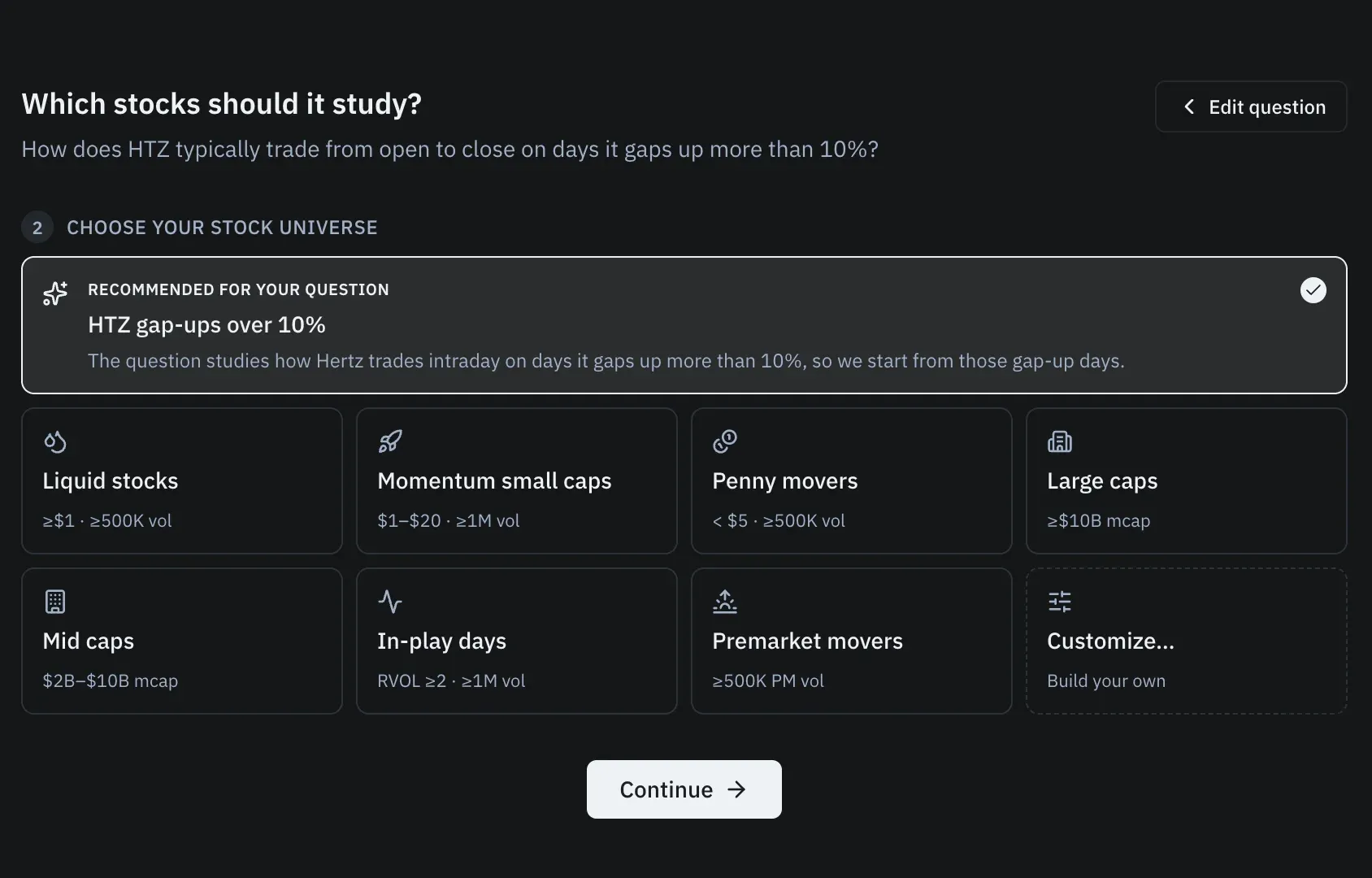
Stock universeBeta
Deep Research recommends a stock universe built for your question. Keep it, pick a preset like Momentum small caps, or build your own.
VoiceOnly on ETTBeta
Hold Ctrl+Alt and talk, and it answers out loud. Ask how to do something and it points at the control on your screen.
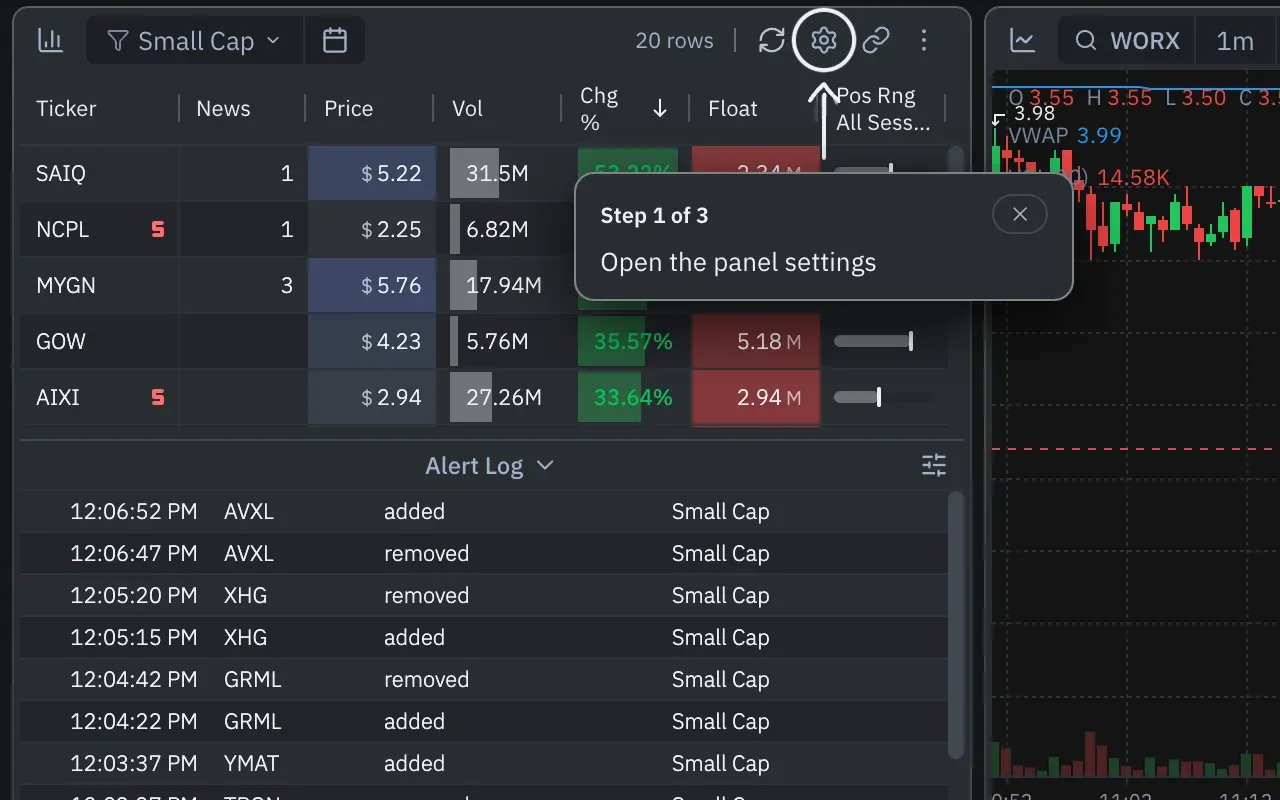
One assistantBeta
The same Edge AI on the Dashboard, History, Research and the Backtester. It knows the page you're on and the panel you mean.
Builds for you
Edge AI builds scanners, sets filters and columns, adds panels, generates History layouts and builds or edits backtests. Every change comes with Keep or Undo.
“Now, with Edge To Trade I find all I need just in one click.”
All of them. Each plan has an AI credit budget: Starter on Basic, Pro on Pro, Expanded on Pro+, Maximum on Ultimate. Edge AI is in beta.
Each request draws down what it actually cost to answer. Fast answers use the least; Heavy, multi-step answers use more. Your budget resets each billing cycle.
An answer comes back in the chat. A report runs a full study on a stock universe you approve. Reports are on Pro and up: 10 a month on Pro, 50 on Pro+.
No. It works with Edge's data and your workspace, explains its reasoning, and has no connection to a brokerage.
English and Spanish.