HISTORY
Charts
Detailed Chart instructions 👇
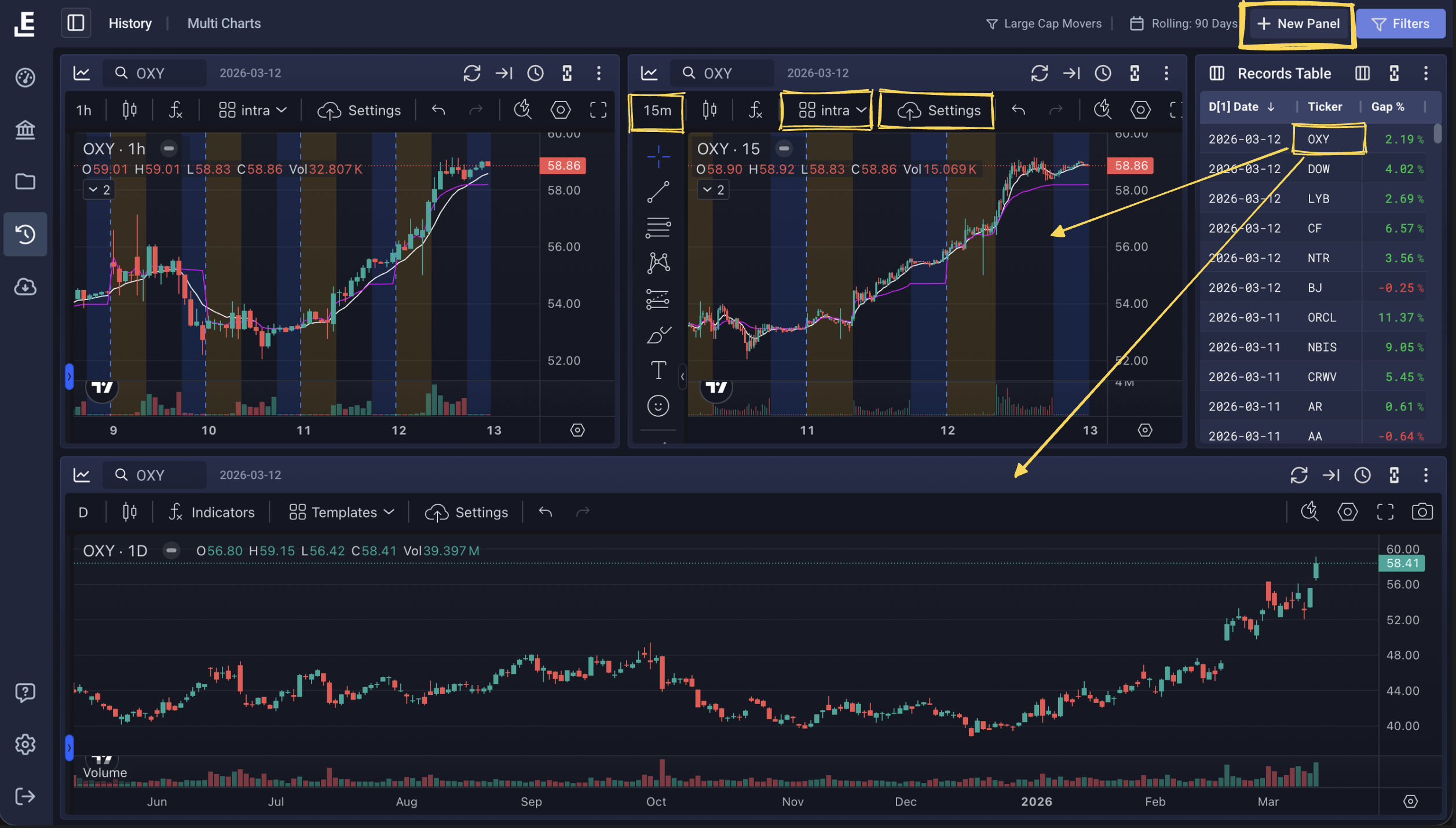
click: Dashboard Charts — charts in History work exactly the same as on the Dashboard.
- Clicking any ticker in the record table will immediately load that day's chart data.
- Click New Panel to add additional charts to your layout.
- Adjusting chart settings, indicators, and time-frame controls is explained in detail under Dashboard Charts.